





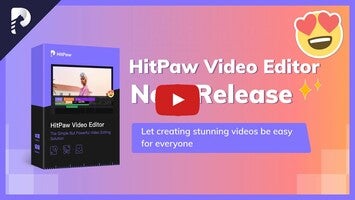

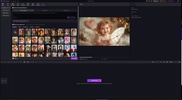


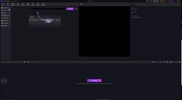


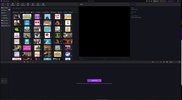
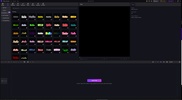

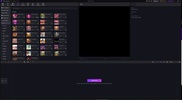
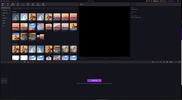



HitPaw Edimakor is a video editing app that has a whole host of features to help you achieve professional results through a very accessible interface. Thanks to this, you can create videos for social media, streaming platforms, or any other project. HitPaw Edimakor integrates AI that can help you in your content editing, with a number of tools like video creation from images and a real-time translator.
Transform images into eye-catching videos
If you have a collection of images and want to present them in a more dynamic way, HitPaw Edimakor offers a straightforward solution. Its image-to-video feature allows you to animate photos and combine them with transitions, visual effects, music and narration. Simply import your images, select a style or template, and let the AI get to work.
Add automatic subtitles and translate your content
HitPaw Edimakor allows you to generate automatic subtitles thanks to its integrated voice recognition system. This will transcribe the spoken content of the video and synchronize the text automatically with the audio. Once they have been generated, you can customize the subtitles' style, font type, color and location. You can also automatically translate the subtitles into more than 130 languages.
Edit videos with text like a script editor
Another of HitPaw Edimakor's useful features is its text-based editing. By automatically transcribing the audio, you can edit content by simply deleting or moving parts of the transcribed text. This is especially useful for interview-type videos, podcasts or tutorials, to cut out silences, mistakes or repetitions by simply editing words, as if you were working in a word processor.
Create short clips for social media
HitPaw Edimakor also includes a smart tool for creating short clips from long videos. The AI will identify the most relevant or interesting moments and turn them into short videos ready to be shared on TikTok, Instagram or YouTube. What's more, the length, format and appearance of the clip can be customized to perfectly adapt it to each platform.
Add narration with AI-generated voices
If you want to add voice-overs without manual recordings, HitPaw Edimakor has a powerful text-to-speech conversion feature. You can write a script and choose from a wide variety of voices in different languages, with various accents and intonations. The result is clear and natural narration that you can use to explain concepts, present products or tell stories, all without the need for a microphone or voice-over artist. With this feature you can also adjust the speed, pitch and rhythm of the voice to perfectly match the rhythm of the video.
Automatically translate and dub videos
If you need to adapt your content to audiences in different countries, HitPaw Edimakor makes this process much easier with its automatic translation and dubbing tool. From the original audio, the system can generate dubbed versions in more than 130 languages, using artificial voices that maintain realistic intonation.
Export videos in professional quality
Once you are finished, HitPaw Edimakor allows you to export the final result in different resolutions, including 4K. You can choose from various output formats like MP4, MOV or AVI, and adjust technical parameters such as bit rate or video codec. The rendering process is fast and optimized so you get a high-quality file that is compatible with any platform, whether for online distribution, playback at events or long-term storage.
Download HitPaw Edimakor and edit videos with one of the most complete video editors available for Windows.


 3 reviews




















Comments
Just to note, it is NOT true that the HitPaw Edimakor license is free. What nonsense are you talking about? What's this about?
OK edimakor